
What are The Blood of Dawnwalker PC minimum specs?
Windows 10, DirectX 12, Intel Core i5-11400F or AMD Ryzen 7 2700X, 16 GB RAM, GTX 1060 or RX 580, 60 GB SSD — per official store listing as of September 2026.

The Blood of Dawnwalker system requirements: Steam, GOG, Xbox PC, PS5, Xbox Series, UE5, Denuvo on PC, and live GPU/RAM on Steam. Verified Sep 2026.
Platforms, specs, and launch expectations.
~9 min read
The Blood of Dawnwalker ships on PC (Steam · GOG · Xbox PC) · PS5 · Xbox Series X|S in Unreal Engine 5 with Mature 17+ content and a single-player campaign. This The Blood of Dawnwalker system requirements page copies official PC minimum and recommended rows from store listings, summarizes PS5 and Xbox Series X|S expectations without inventing locked frame rates, and answers frequent Denuvo and edition questions. Always re-check the live Steam store page before purchase — specs can change with patches. Verified September 3, 2026 · Steam.
There is no PS4 or Xbox One version at launch. PC players can buy through Steam, GOG, and Xbox on PC; consoles target current-gen hardware only. This guide is not a benchmark chart: we do not promise “60 FPS on Ultra” or assign Digital Foundry scores that your patch level may disprove.
| Fact | Detail |
|---|---|
| Engine | Unreal Engine 5 |
| Platforms | PC (Steam · GOG · Xbox PC) · PS5 · Xbox Series X|S |
| PC stores | Steam · GOG · Xbox on PC |
| Consoles | PS5 · Xbox Series X|S (no last-gen) |
| Storage (PC listing) | 60 GB SSD space (official) |
| Anti-tamper (PC) | Denuvo cited on store pages — verify live listing |
| Multiplayer | Single-player only |
| Related | Beginner guide · Discord |
Matched by build plan, shared topics, and guide progression — not random related links.
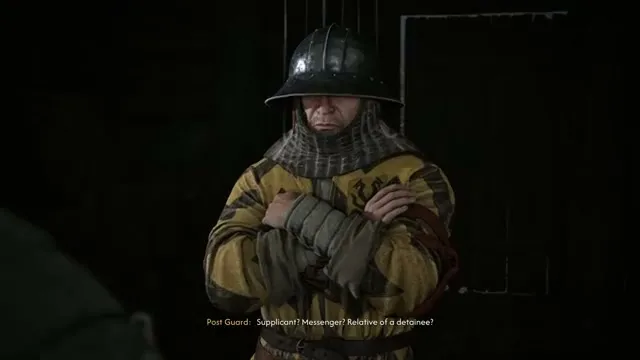
The following table mirrors Bandai Namco / Steam-published minimum specs collected in our launch reference pass (September 3, 2026). If your components fall below this floor, expect to lower settings aggressively or wait for future optimization patches — the listing does not guarantee a specific frame rate at minimum.
| Component | Minimum requirement (official) |
|---|---|
| OS | Windows 10 64-bit |
| DirectX | Version 12 |
| CPU | Intel Core i5-11400F or AMD Ryzen 7 2700X |
| Memory | 16 GB RAM |
| Graphics | NVIDIA GeForce GTX 1060 or AMD Radeon RX 580 |
| Storage | 60 GB available space (SSD) |
A GTX 1060 / RX 580 class GPU with 16 GB system RAM is a real floor for a 2026 UE5 open world — not a comfort target. Minimum means “starts and runs” on reduced presets, not maxed textures at 1440p. Integrated graphics and 8 GB RAM machines are below official support even if they launch the executable.
The published row calls for 60 GB on SSD, not merely HDD capacity. Open-world streaming benefits from solid-state read speeds; installing on a slow drive may inflate load times and hitching even when CPU and GPU meet the label.
DirectX 12 is mandatory on the listing. Older GPUs without DX12 feature levels cannot be assumed compatible regardless of VRAM size. On Windows, run `dxdiag` and confirm feature levels before buying if your card is borderline.
Recommended specs describe the experience Bandai Namco targets when marketing PC performance — still not a contractual FPS number, but a healthier baseline for 1080p or 1440p with mixed settings in a dense UE5 title.
| Component | Recommended requirement (official) |
|---|---|
| OS | Windows 10 64-bit |
| DirectX | Version 12 |
| CPU | Intel Core i7-11700K or AMD Ryzen 7 5700X |
| Memory | 16 GB RAM |
| Graphics | NVIDIA GeForce RTX 4060 or AMD Radeon RX 7600 XT or Intel Arc B580 |
| Storage | 60 GB available space (SSD) |
The recommended row explicitly lists NVIDIA RTX 4060, AMD RX 7600 XT, and Intel Arc B580 as equivalent-class targets — unusual but helpful for shoppers comparing vendors. Pick the card your local market prices fairly; driver maturity still matters on day one for Arc and sometimes AMD.
System memory stays at 16 GB in both tiers. That means RAM is not the differentiator — GPU and CPU headroom are. Closing browser tabs and background capture tools still helps on 16 GB machines because UE5 plus Windows overhead leaves little spare for Discord streaming or Chrome.
Recommended hardware today may only hit “comfortable medium-high” after launch hotfixes. Rebel Wolves shipped a narrative sandbox with large outdoor zones; post-day-one patches often adjust streaming, shader compilation, and CPU bottlenecks. Treat recommended as buying insurance, not a benchmark scorecard.
The Blood of Dawnwalker launches on PlayStation 5 and Xbox Series X|S alongside PC. There is no PS4 or Xbox One SKU in official materials — the game assumes SSD-era console hardware and current-gen IO budgets.
| Platform | Launch status | Notes |
|---|---|---|
| PlayStation 5 | Supported at launch | Install to internal SSD; performance modes vary by patch — verify in-game options |
| Xbox Series X|S | Supported at launch | Series S may require lower fidelity targets — no fixed FPS promise here |
| PS4 / Xbox One | Not supported | No downgrade port announced in public store materials |
| Handheld PC | Check Steam Deck flag | Verify Steam Deck status on the store page |
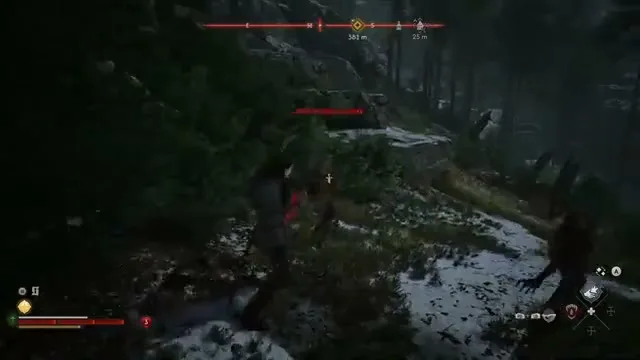
Many UE5 console titles ship quality vs performance toggles or dynamic resolution. The Blood of Dawnwalker may expose similar options, but mode names, resolution targets, and ray-tracing availability can change across patches. Read the in-game graphics menu on your console and recent player reports — we will not publish “locked 60 FPS” claims that Day One hotfixes invalidate.
Console storage requirements mirror the PC order of magnitude (~60 GB class on PC listing). Reserve extra space for day-one patches and save data. Keep the title on internal SSD storage where platform policy requires it for optimal streaming.
Directional combat supports controller and keyboard layouts with optional omni-assist — console players are not second-class. Accessibility toggles described on combat apply on console builds as well.
Yes — PC store listings and pre-launch coverage cite Denuvo Anti-Tamper on The Blood of Dawnwalker. That matches high search volume for “dawnwalker denuvo” and is worth stating plainly rather than hiding behind vague “DRM may apply” language.
For a single-player game, Denuvo primarily affects executable modification, tampering, and some niche compatibility scenarios — not typical offline story play once installed and activated through Steam, GOG, or Xbox PC. Most players experience it as background authentication on first launch or after major hardware changes, not as ongoing always-online demand — but read the live store DRM footnotes because policies differ by retailer.
Communities that rely on heavy modding, Proton tweaks, or offline archival copies should assume extra friction when Denuvo is present. Valve’s Steam Deck compatibility badge and ProtonDB reports are the practical references — check them after launch rather than trusting pre-release guesses.
Some publishers strip Denuvo months after launch; others keep it indefinitely. Rebel Wolves and Bandai Namco have not promised either path here. Treat Denuvo as current PC fact until an official patch note says otherwise.
Edition shopping is a frequent setup question, so a brief FAQ-level summary belongs on this page even though bonuses are not “system requirements.” All gameplay editions include the full single-player campaign; differences are digital extras, physical collectibles, and preorder armor timing.
| Edition | What you get (summary) |
|---|---|
| Standard | Base game + digital Sangoran Wayfarer’s Armor Set (preorder) |
| Eclipse | Standard + digital world compendium · comic · soundtrack |
| Day 1 | Standard + steelbook · physical world map |
| Collector’s | Day 1 physical bundle + Coen figurine · hardcover compendium · Eclipse digital upgrade |
Sangoran Wayfarer’s Armor Set arrives early with preorder, but official copy states all players can unlock it in-game later. Buying Collector’s for power is unnecessary; buy up for art books, maps, and figurines if those justify the price for you.
Eclipse and Collector’s tiers bundle digital lore and audio attractive to franchise fans. None of those items change CPU or GPU requirements — they are checkout decisions, not spec decisions.
Check Steam for live Standard / Eclipse / Collector pricing. Launch discounts and regional taxes shift totals; the Steam store is the live source.
Launch-week UE5 titles commonly ship with shader compilation stutter, streaming hitches, and driver-sensitive crashes that patches improve over time. The steps below are client-side habits — not promises of a magic FPS number.
Verify Steam Deck status on the store page. Proton compatibility and battery life vary by settings; handheld players should expect to run reduced presets even when desktop GPUs meet recommended specs.
If performance is poor on hardware above recommended, check recent patch notes before reinstalling Windows. Open-world launches often fix streaming and CPU bottlenecks in week-one updates — community reports on Discord and Steam reviews supplement official changelogs.
Social posts rarely list patch version, scene complexity, or resolution scale. Use them as hints, not contracts. Your valley forest fight and your town cutscene will not match the same FPS.
Windows 10, DirectX 12, Intel Core i5-11400F or AMD Ryzen 7 2700X, 16 GB RAM, GTX 1060 or RX 580, 60 GB SSD — per official store listing as of September 2026.
Windows 10, DirectX 12, Intel Core i7-11700K or AMD Ryzen 7 5700X, 16 GB RAM, RTX 4060 or RX 7600 XT or Intel Arc B580, 60 GB SSD — official recommended row.
No. Launch targets PS5 and Xbox Series X|S alongside PC.
Store listings and pre-launch coverage cite Denuvo Anti-Tamper on PC. Status can change — read the live Steam DRM notes.
We do not publish fixed frame-rate guarantees. Use in-game performance modes and recent player reports after patches.
Official PC listing: 60 GB SSD space. Consoles are similar order of magnitude; reserve extra for patches.
All listed editions include the full single-player campaign. Higher tiers add digital or physical extras, not story locks.
The live Steam store page and your console’s store listing — numbers here mirror September 2026 official copy.
September 3, 2026
Matched by build plan, shared topics, and guide progression — not random related links.